
Your DOCSIS upload speed depends on more than the generation printed on the modem box. The cable network must support the service, the ISP must provision and approve the equipment for it, and your local network must carry the traffic without introducing another limit.
When those layers get mixed together, upgrades disappoint. A faster Ethernet socket cannot change an account’s upload tier. A faster cable service cannot overcome a slower link to your computer. A high Wi-Fi class is not a measured internet transfer rate.
This guide develops a method for tracing those limits. The worked network is explicitly hypothetical, not a benchmark or a claim about a particular product. Provider policies cited here were checked on October 10, 2026; recheck eligibility for your address before buying.
For equipment selection, activation, costs, and recovery, return to the reference hub Own Your Cable Modem: Buy, Activate, and Operate It With Your U.S. ISP. Here, the payoff is knowing which upgrade could affect the bottleneck you have identified.
🧱 Separate Four Different Limits
Keep these layers in order:
| Layer | What it describes | Evidence to seek |
|---|---|---|
| Specification | Capabilities defined by a technology family | Standards documentation |
| Deployed cable plant | Equipment and operating arrangement in the provider network | Provider service availability and technical guidance |
| Provisioned service | The service authorized for your account and modem | Your plan and exact equipment approval |
| End-to-end path | Links, devices, software, and destination used by the traffic | Diagram, specifications, status and repeatable measurements |
CableLabs’ DOCSIS 4.0 page distinguishes specification-based capacity from deployed implementation. Its technology description establishes what the architecture can support; it does not establish what a household can order or receive. CableLabs DOCSIS 4.0 technology.
The same discipline applies to DOCSIS 3.1. CableLabs describes technology capabilities such as OFDM and more efficient use of spectrum. Those explain the access system, not an account-specific upload result. CableLabs DOCSIS 3.1 technology.
Begin troubleshooting with the subscribed download and upload rates. If you cannot establish the offered service, a hardware comparison lacks its most important reference point. Record unknowns instead of assuming a symmetrical connection from a large download number.
📡 Read Mid-Split and High-Split as Plant Changes
In cable-network discussions, a split concerns the allocation of frequency spectrum between upstream and downstream operation. Increasing the upstream allocation can make room for additional upstream capacity, but the provider’s physical network and customer equipment must support the operating arrangement.

CableLabs’ Midsplit Migration Implications on the HFC Network is a technical report dated February 23, 2015. It analyzes consequences of expanding the upstream band, including effects on return-path components and signal characteristics. Its age makes it unsuitable as evidence of today’s rollout at an address; its engineering analysis is useful evidence that a spectrum change involves the plant, not simply a customer’s setting. CableLabs midsplit migration report.
You do not need to reproduce frequency tables to make a buying decision. You need to ask: Is this exact modem approved for the upload service deployed and sold at my address?
Avoid treating high-split and full-duplex DOCSIS as interchangeable labels. They describe different aspects of the access design. CableLabs’ DOCSIS 4.0 page discusses full duplex and extended spectrum; none of those terms, alone, establishes a consumer equipment recommendation.
A provider may approve a modem for one service context while another requires different equipment. Record the actual eligibility result. No prediction of when DOCSIS 4.0 will reach your street is needed to choose equipment for today’s verified service.
🔎 Confirm Upload Approval Explicitly
Standards certification is one layer of evidence. CableLabs describes its certification program as testing compliance and interoperability. An operator’s acceptance of a modem for the subscribed service remains a separate question. CableLabs certification.
As checked on October 10, 2026, Xfinity directs users to an account or address-based My Device Info lookup before purchasing customer-owned equipment. Use the service context and check upload requirements explicitly rather than relying on an undated retailer badge. Xfinity customer-owned equipment guidance.
Astound’s BYOM guidance checked on that date contains regional/tier restrictions and provider-equipment requirements for a specified highest-tier service. This is a useful example of why a provider name plus a DOCSIS generation does not establish universal eligibility. Recheck the policy for your market instead of copying another subscriber’s arrangement. Astound bring-your-own-modem guidance.
Save the ISP, address, exact device identity, plan’s two directions, approval source, and date. If upload eligibility remains ambiguous, ask the provider. A correct conclusion can be not enough evidence to choose this modem yet.
🔌 Trace the Ethernet Links Individually
After the access-service question, inspect the local wired path:
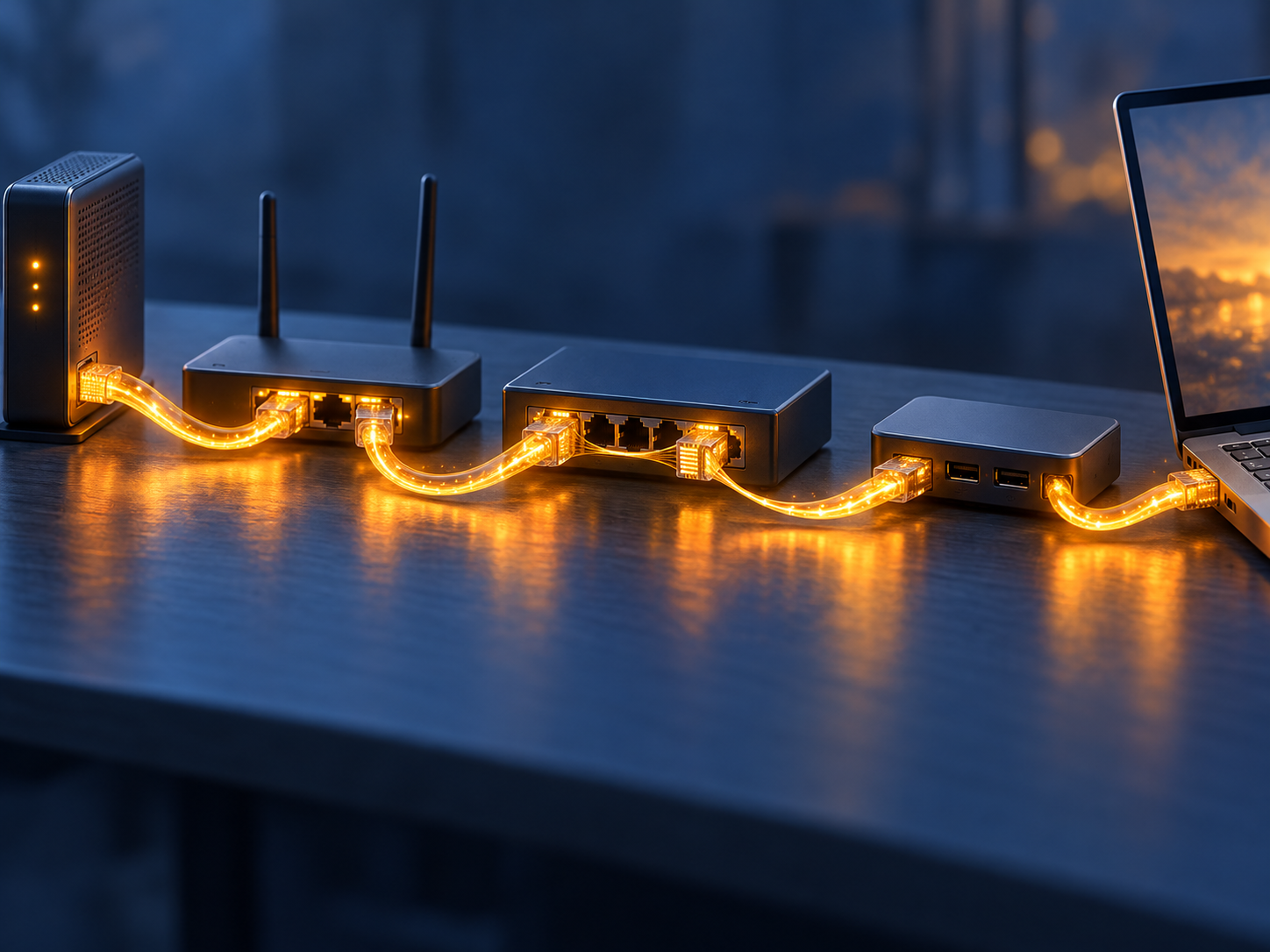
Modem Ethernet port → router WAN port → router LAN port → switch → client interface.
Each connection has supported rates and a rate actually established between its endpoints. Record the negotiated rate shown by the devices when available. Do not infer it solely from the label on one port.
A modem with a faster port does not upgrade a slower router WAN connection. A fast router WAN does not upgrade a slow switch port. A client’s adapter, dock, or intervening connection can introduce another limit.
Check manufacturer documentation for the exact devices. Distinguish interface rate from the router’s ability to process traffic with your selected functions. Routing, VPN encryption, traffic management, and other processing can introduce limits that a port specification does not measure.
Multiple sockets are not automatically a faster connection. Link aggregation requires documented support and a compatible arrangement at both ends. Do not add two port rates together or assume a single transfer can use the sum. Verify the intended mode before making it part of your design.
🧪 Work Through an Illustrative Path
Consider this hypothetical network, using illustrative rates rather than product specifications or measured results:

| Part of the path | Illustrative limit or state |
|---|---|
| Subscribed cable service | 2 Gbps download, 200 Mbps upload |
| Modem-to-router Ethernet | Negotiated at 2.5 Gbps |
| Router-to-switch Ethernet | Negotiated at 1 Gbps |
| Switch-to-client Ethernet | Negotiated at 2.5 Gbps |
| Remote destination | Unknown capability and conditions |
For one download to that client, the one-gigabit router-to-switch link is a local path limit. The faster links on either side do not remove it. Replacing the modem with another faster-port model would not address that identified limit.
For an upload, the illustrative account service is much lower than every listed Ethernet rate. Upgrading the router-to-switch link would not raise the account’s provisioned upload service. It might serve another local objective, but it does not justify an upload-speed claim.
Suppose the router-to-switch link is upgraded and negotiates at 2.5 Gbps. The diagram no longer shows that particular one-gigabit limit. It still does not predict an exact two-gigabit download result: the destination, router processing, competing traffic, protocol overhead, and test method remain relevant.
Now suppose the router-to-switch link unexpectedly reports a lower negotiated rate. The next step is to investigate that connection and its endpoints according to the device documentation. It is premature to diagnose a cable-plant problem from this local observation.
This exercise is a map of necessary conditions. It helps rule out upgrades that cannot solve the stated limitation, while leaving actual performance to measurement.
📶 Keep Wi-Fi Class Separate From Throughput
Wireless product classes are not guarantees for one client, one room, or one internet transfer. Check the client’s capabilities, connection conditions, and the access point’s arrangement rather than importing a headline directly into your cable plan comparison.
Use a wired path for an initial isolation measurement where possible. It removes the wireless hop from that comparison, making the result easier to interpret. It does not remove every other variable.
Local transfers can also help separate local-network behavior from internet service, provided you document the endpoints and method. A fast local transfer shows something about that local path; it does not establish the ISP’s upload provisioning. A poor wireless local transfer is a reason to investigate the wireless path before blaming the modem.
For the vocabulary behind these distinctions, see Understanding Internet Bandwidth. Capacity, throughput, and latency answer different questions. A design can have ample nominal link capacity and still feel unresponsive under load.
📏 Measure Useful Data, Not Just the Label
An interface’s nominal rate is not the same as an application’s useful-data rate. Protocol framing and other overhead consume some of the transmission. Retransmissions, endpoint behavior, contention, and processing can further affect the result.
Do not apply one universal percentage deduction to every test. State what the tool measures and in which units, along with the test conditions. Bits per second and bytes per second are different units; a file-transfer application may report the latter.
Record the wired or wireless path, negotiated rates, client, destination, time, concurrent traffic, router functions, and result. Repeat comparable tests rather than averaging unrelated arrangements into one supposed modem score.
A multi-connection speed test and one file transfer can exercise a path differently. Document the method before deciding that different results are contradictory. Neither result establishes the cause without further isolation.
Responsiveness under load is another useful measurement. The existing Bufferbloat Explained guide covers that distinction. Queue-management decisions belong in the router-control series; a delayed interactive task does not automatically establish insufficient DOCSIS capacity.
🧠 Choose an Upgrade by What It Can Change
Before buying, write a brief hypothesis: This component limits this traffic in this arrangement; this change could remove that limitation; this observation would show whether it did.
If the account’s upload service is the limit, verify whether a different plan and approved equipment are available. If a local Ethernet link is the limit, investigate that link. If router processing appears to be the limit only with a function enabled, compare documented conditions and appropriate tests. If RF evidence and symptoms suggest an access fault, collect modem diagnostics and involve the provider.
For a mastery exercise, revisit the hypothetical path. Explain why a faster modem cannot remove the switch-uplink limit, why faster Ethernet does not upgrade the account’s upload tier, and why removing both limits still does not predict exact application throughput.
Then draw your own path. Mark each rate as documented, observed, or unknown. Stop the purchase decision when an unknown would change what you buy. This is more useful than ranking boxes by their largest advertised number.
❓ Frequently Asked Questions
Does DOCSIS 3.1 guarantee a particular upload speed?
No. The provider’s deployment, approved equipment, and provisioned service determine the applicable service context. The standard’s capabilities are not an account promise.
Are mid-split and high-split settings I can enable on my router?
No. They concern cable-network spectrum allocation and associated equipment operation. Ask the ISP about the service and equipment approved at your address.
Will a faster modem Ethernet port fix my upload tier?
No. It can remove an Ethernet bottleneck when one exists, but it does not change account provisioning.
Can two Ethernet ports double one transfer’s rate?
Do not assume so. Verify documented aggregation support, compatible endpoints, service requirements, and how traffic is distributed.
Why is a speed test below the link’s advertised rate?
Link rate and useful application throughput are different measurements. Overhead, endpoints, traffic conditions, processing, and test method can affect the result.
Should I wait for DOCSIS 4.0 before buying?
Base the decision on verified service availability, approved equipment, costs, and your planned use. A predicted rollout is not a compatibility record.
🔗 Further Reading
- CableLabs DOCSIS 3.1 technology — understand the technology layer.
- CableLabs DOCSIS 4.0 technology — distinguish capabilities from deployment.
- CableLabs midsplit migration report — study the engineering implications of changing upstream spectrum.
- Xfinity customer-owned equipment guidance — verify address/account eligibility.
- Astound bring-your-own-modem guidance — check regional and service limits.
📦 Recommended Resources
Some links below are Amazon affiliate links. If you buy through them we earn a small commission at no extra cost to you.
This article separates what a specification permits from what your address is provisioned for. These three develop the same distinction in different places.
- Computer Networks: A Systems Approach by Larry L. Peterson and Bruce S. Davie — the shared-medium material is the key to cable. Once you understand that the capacity is shared and scheduled rather than dedicated, the upstream story stops being mysterious.
- High Performance Browser Networking by Ilya Grigorik — Grigorik’s point is that latency, not headline bandwidth, governs how fast things feel. That is the single most useful corrective to buying a modem for its biggest number.
- TCP/IP Illustrated, Volume 1: The Protocols by Kevin R. Fall and W. Richard Stevens — for the protocol behaviour that turns raw capacity into throughput. A gigabit link and a gigabit transfer are not the same claim.
✅ Pro tip: write the negotiated rate of every link in your chain on the diagram, not the advertised one. The bottleneck is almost never the box you were about to replace.